
Quorum Business Solutions
Giving complex operational work a consistent structure.
Field research, enterprise experience architecture and reusable coded patterns for oil-and-gas software.
- My role
- Principal UX/UI Architect · Enterprise SaaS
- Period
- Jun 2017 – Jul 2018
- Designed for
- Oil-and-gas operations teams
AI leadership noteBring field context into the energy console
Original approach
Conducted field research with oil-and-gas professionals to understand their working conditions and validate workflows. Consulted legal teams about requirements affecting the product design.
What could change today
Let a field operator ask what changed on an asset since the last shift. Ground the summary in timestamped readings and work orders. Keep operational commands behind the existing controls.
Workflow excerpt. The numbered steps show the same part of the journey in each version. The full project includes work beyond this comparison.
Original workflow
- Find the work context
- Inspect the record
- Update or compare
- Review the result
Proposed workflow with AI
- Choose the asset, site and field task.
- Retrieve the relevant field record with its source.
- Compare readings and have the operator confirm any update.
- Review the result against the original record.
How to test the change
Test a disconnected site, a late reading and conflicting units. Ask operators to verify each finding against the underlying record.
01 / Customer & problem
The need behind the work.
Who needed this.
Oil-and-gas software users need to find the right operational record, understand its status and work through dense details without losing context.
The problem to solve.
Operational software brings together detailed records, location information, measurement data and work across web, tablet and mobile. Inconsistent navigation and controls increase the amount users have to remember between tasks.
Create a shared interaction foundation that respects complex domain work while making it easier to navigate and maintain.
02 / My ownership
Responsibilities.
Led UX architecture and standards. Partnered with product and engineering on the shared implementation patterns and the wider operational software.
The constraint to work through.
Enterprise consistency must support domain-specific workflows. Simplifying the surface cannot remove the information specialists need to act.
- Find the work context
- Inspect the record
- Update or compare
- Review the result
03 / Actions & delivery
How the work came together.
Conducted field research with oil-and-gas professionals to understand their working conditions and validate workflows. Consulted legal teams about requirements affecting the product design.
Established standards for typography, color and interaction patterns, working with front-end engineers on reusable coded components and libraries.
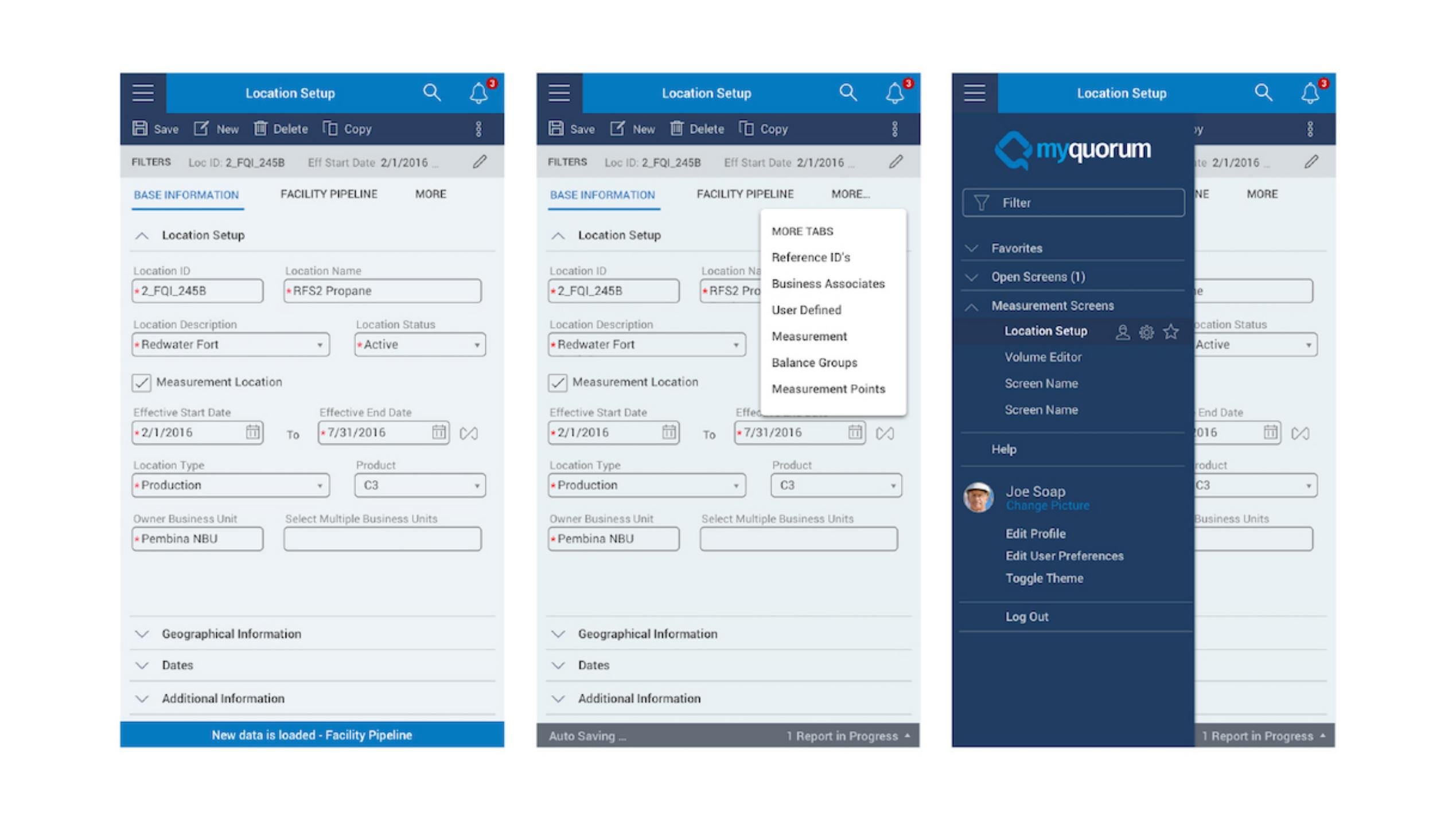
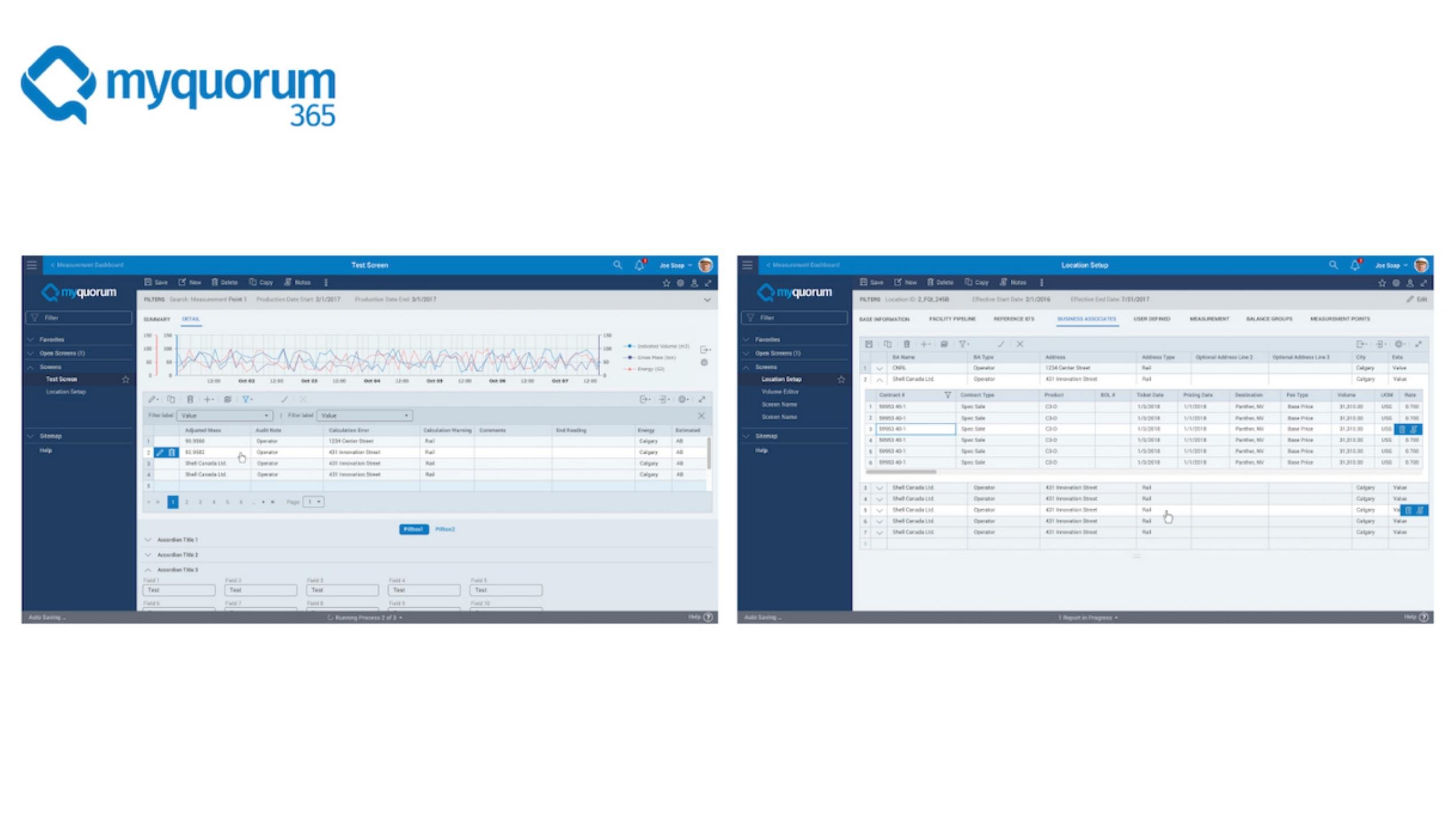
The screens show location setup, grouped information, contextual tabs, navigation and data-heavy review patterns. The same experience architecture carries across different states of the task.
04 / Decisions & judgment
What carries through the design.
Keep the work context intact.
Location details, record state and related information stay within a recognizable shell, rather than becoming disconnected screens.
Make dense information navigable.
Group related fields and use contextual tabs to separate concerns without losing the user’s place.
Design the implementation foundation.
Partnering on coded components makes shared design decisions available to the teams building the product.
The experience in detail
Keep the location context while moving through complex records.
Field work links a physical location to operational records. Stable location identifiers, related tabs and application navigation help maintain that context.
01 / Choose the workspace
Navigation groups measurement tools and open screens.
02 / Review base information
Inspect location, status, effective dates and business-unit information.
03 / Find related records
Open associated data through the related-tab menu.
The experience in detail
Connect field detail to the enterprise workspace.
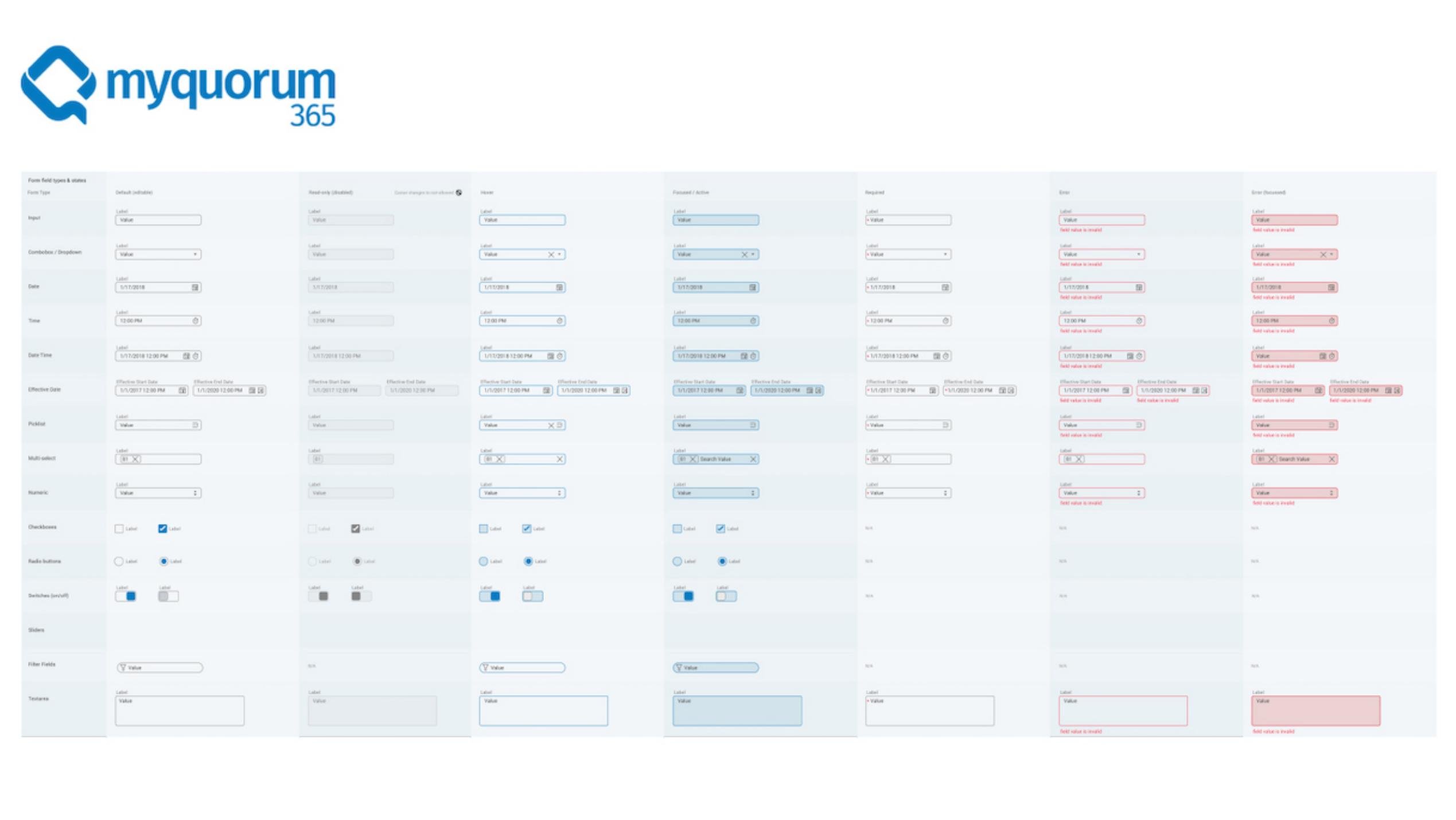
Shared navigation, charts and record tables carry the location workflow into a larger application. Form specifications make required, disabled and invalid states explicit.
04 / Inspect measurement and related records
Chart and table patterns support dense operational information.
05 / Standardize the interaction states
A shared field-state reference connects the experience to implementation.
05 / Results & business value
What changed through the work.
A shared set of enterprise UX standards and reusable implementation patterns, supported by field research and collaboration across design and engineering.
Why it matters.
Shared UX standards and coded component patterns provided a common foundation across operational screens, with field research informing the enterprise work.
06 / Reflection
Lessons for future projects.
Preserve the user’s working context while standardizing repeated behavior. Consistency is useful when it makes specialized work easier to navigate.
Let’s talk about your next chapter.
Exploring Senior Director, Head of Design and VP opportunities.