
Lincoln Studios · LS Models
Connecting talent discovery to a useful profile.
An image-led, responsive modeling-agency experience connecting the gallery, model profiles and studio contact.
- My role
- Studio owner · Creative direction & web design
- Period
- Japan studio practice
- Designed for
- Casting & production teams
AI leadership noteMake a visual portfolio easier to search
Original approach
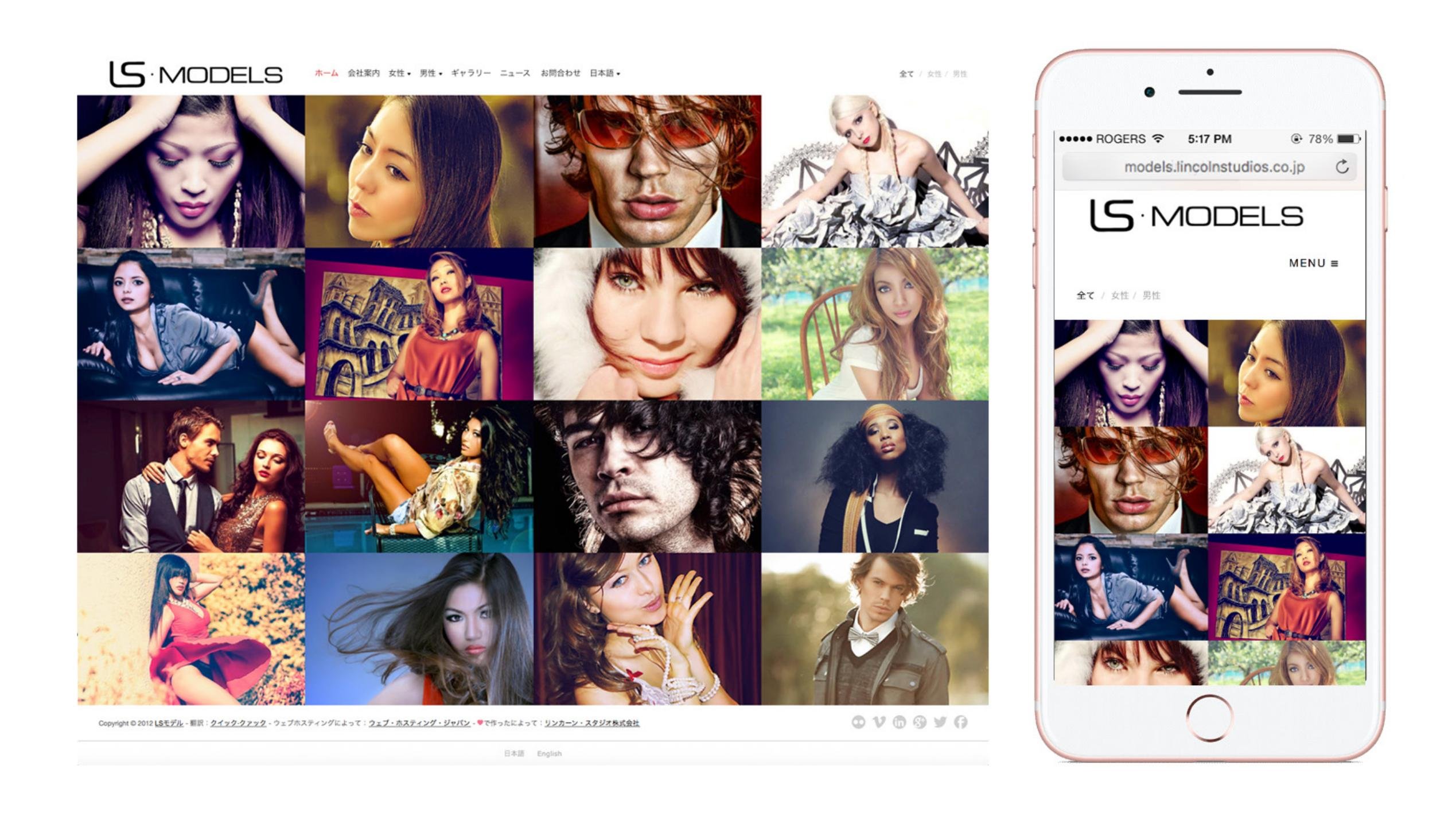
The gallery uses the photography as the entry point, with category navigation and responsive layouts.
What could change today
Suggest descriptive tags for wardrobe, lighting and setting, then let the studio approve them. Build a shortlist for the brief from approved images and usage permissions.
Workflow excerpt. The numbered steps show the same part of the journey in each version. The full project includes work beyond this comparison.
Original workflow
- Browse talent
- Open a profile
- Review details
- Contact the studio
Proposed workflow with AI
- Browse talent using studio-approved descriptive tags.
- Open the profile and inspect the original photographs.
- Check the brief, availability and usage permissions.
- Send the studio a shortlist for human review.
How to test the change
Check a shortlist against the actual brief and licensing record. Keep identity and personal attributes outside automatic tagging.
01 / Customer & problem
The need behind the work.
Who needed this.
Casting and production visitors need to discover talent, inspect profile information and reach the studio from desktop or mobile.
The problem to solve.
A model gallery creates an initial impression, but a production or casting visitor also needs profile details and a way to contact the agency. The photography and practical information have to work across desktop and mobile.
Create a clear path from browsing talent to reviewing a profile and contacting the studio.
02 / My ownership
Responsibilities.
The work is part of my Lincoln Studios practice in Japan, combining photography, creative direction and website design.
The constraint to work through.
Photography should lead discovery, while profile details and contact paths need enough structure to support a practical casting decision.
- Browse talent
- Open a profile
- Review details
- Contact the studio
03 / Actions & delivery
How the work came together.
The gallery uses the photography as the entry point, with category navigation and responsive layouts.
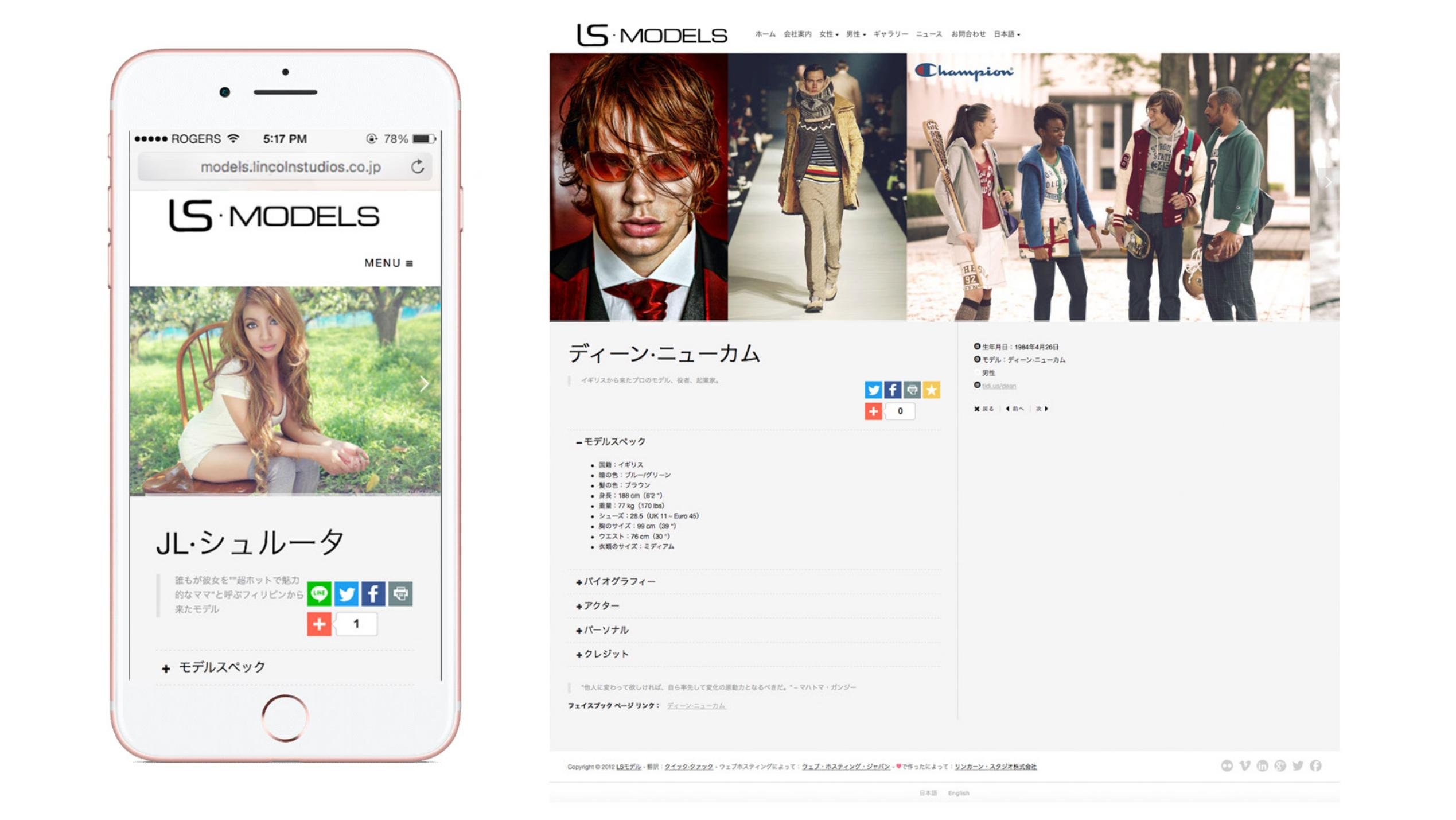
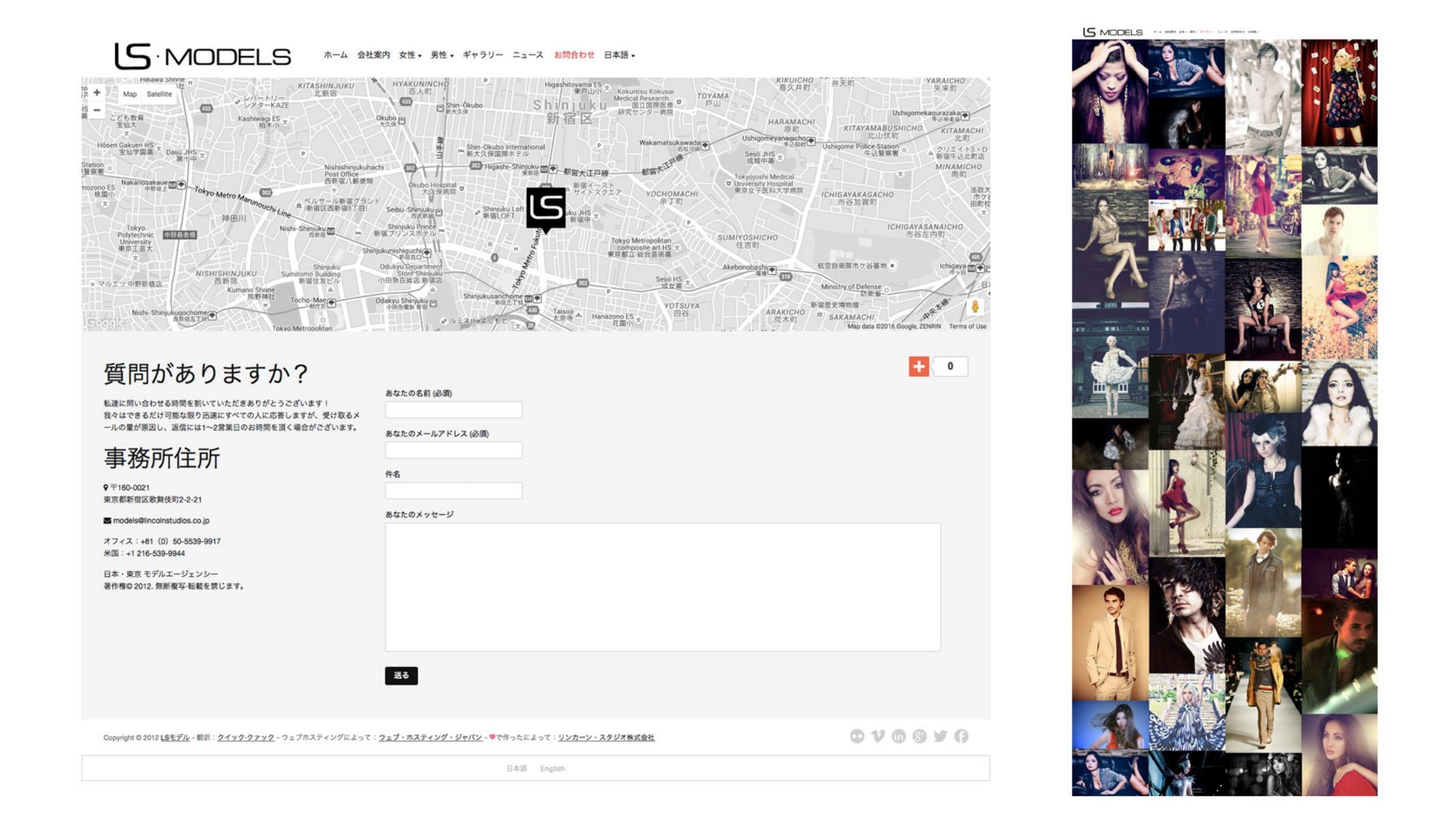
Model profiles place imagery alongside structured details, biography and credits. The contact experience includes a form and location context.
04 / Decisions & judgment
What carries through the design.
Use the image to open the journey.
A visual gallery suits talent discovery, while the profile provides the information needed for the next decision.
Carry the structure onto mobile.
The same discovery and profile relationships remain visible in the mobile presentation.
The experience in detail
From a visual impression to a useful profile.
A casting or production visitor needs to discover talent, inspect the profile and find a contact path. Responsive layouts keep the photography and practical information connected.
01 / Discover talent
Desktop and mobile views provide an image-led entry.
02 / Review a profile
Photography, model details and supporting biography share a profile structure.
03 / Contact the studio
The contact form, location and broader gallery complete the journey.
05 / Results & business value
What changed through the work.
A responsive agency-site design connecting image-led discovery, structured model profiles and a direct contact path.
Why it matters.
The responsive site design links the image gallery to usable model profiles and studio contact, connecting creative presentation with the agency’s service.
06 / Reflection
Lessons for future projects.
Retain the visual entry point while making the next decision explicit. Strong imagery and structured information serve different parts of the same journey.
Let’s talk about your next chapter.
Exploring Senior Director, Head of Design and VP opportunities.