
Walmart · Data Science
Wallaby: turning imagery into training data.
An image-labeling platform used to annotate 300,000 firearm images for Walmart computer-vision research.
- My role
- Lead UX Technologist · Data Science Platforms
- Period
- Oct 2019 – Feb 2022
- Designed for
- Annotators & data scientists
AI leadership noteGive labelers the uncertain frames first
Original approach
Designed the original Wallaby interface in collaboration with the team building the labeling application. The workspace connected project administration, image collections, object classes and annotation controls.
What could change today
Let a model propose a region and confidence score, then route ambiguous or partially obscured objects to a trained reviewer. Preserve the original frame, the suggestion and the reviewer’s correction as separate records.
Workflow excerpt. The numbered steps show the same part of the journey in each version. The full project includes work beyond this comparison.
Original workflow
- Enter the workspace
- Choose the project
- Annotate the image
- Save and continue
Proposed workflow with AI
- Enter the labeling workspace with the right access.
- Select the project and its approved object classes.
- Review suggested boxes and correct uncertain frames.
- Save the reviewed labels and sample them before training.
How to test the change
Compare assisted and manual labeling on held-out frames. Check missed objects and reviewer disagreement alongside time per accepted label.
01 / Customer & problem
The need behind the work.
Who needed this.
Data scientists and annotators need consistent, reviewable labels to turn a large image collection into useful training data.
The problem to solve.
Walmart’s data scientists needed a structured way to prepare visual training data for parking-lot safety research. Images covered varied positions and degrees of visibility, making consistent labeling and a usable review workflow essential.
Give the team a dedicated application for organizing, annotating and reviewing a large visual dataset without losing project or labeling context.
02 / My ownership
Responsibilities.
Designed the original Wallaby application. Partnered with the development team and data scientists on the labeling experience; dataset annotation and model research were team efforts.
The constraint to work through.
A 300,000-image effort makes repetition central to the experience. Image context, object class and progress need to stay visible without obstructing annotation.
- Enter the workspace
- Choose the project
- Annotate the image
- Save and continue
03 / Actions & delivery
How the work came together.
Designed the original Wallaby interface in collaboration with the team building the labeling application. The workspace connected project administration, image collections, object classes and annotation controls.
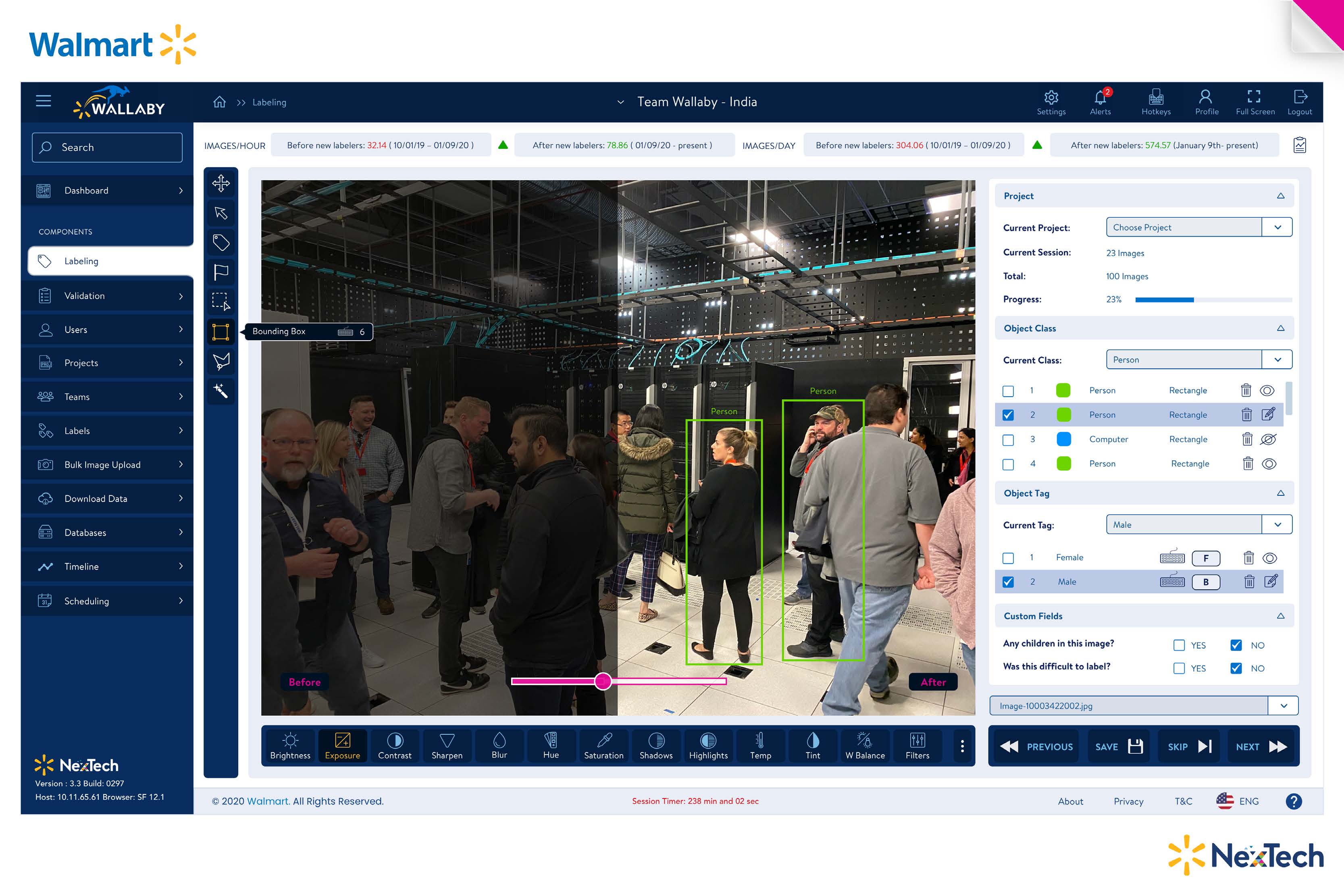
The team used Wallaby to label 300,000 firearm images for computer-vision research. A large image canvas, class and tag controls, and save, skip and next actions supported repeated annotation.
The labeled data supported the broader safety-research effort connected to Synchro, which explored simulated store and parking-lot scenarios as an alternative to repeatedly staging scenes with staff.
04 / Decisions & judgment
What carries through the design.
Prioritize the image and its context.
The canvas is the primary work area. Project, class and tag information remain visible alongside it.
Support repeatable annotation.
The same workspace carries drawing controls, review information and movement to the next image. Repetition is part of the task, not a separate navigation problem.
The experience in detail
The work, as a connected experience.
The labeling workspace connects project context, image inspection and structured annotation. The team used Wallaby for a 300,000-image firearm dataset supporting computer-vision safety research.
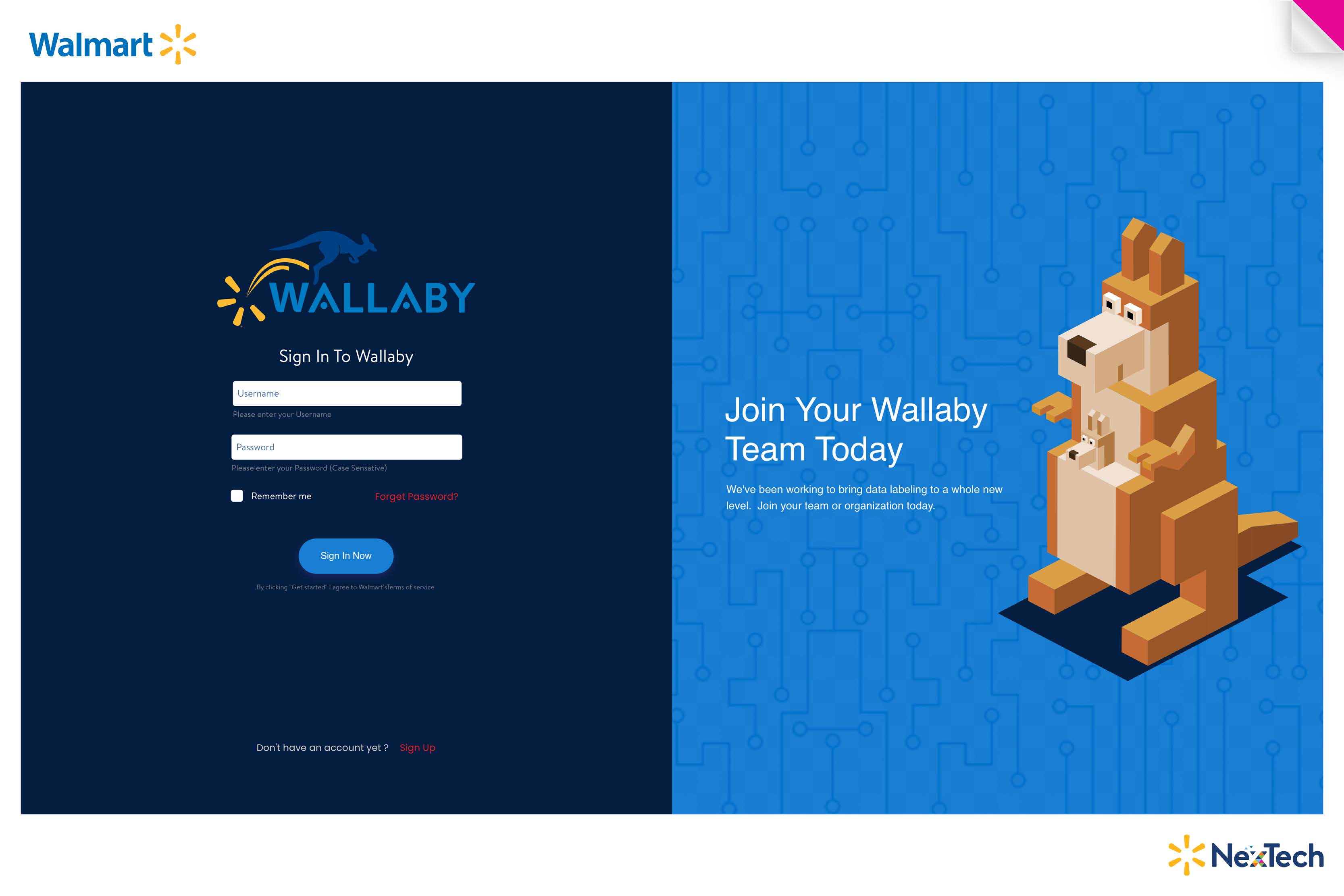
01 / Enter the platform
A dedicated sign-in introduces the labeling workspace.
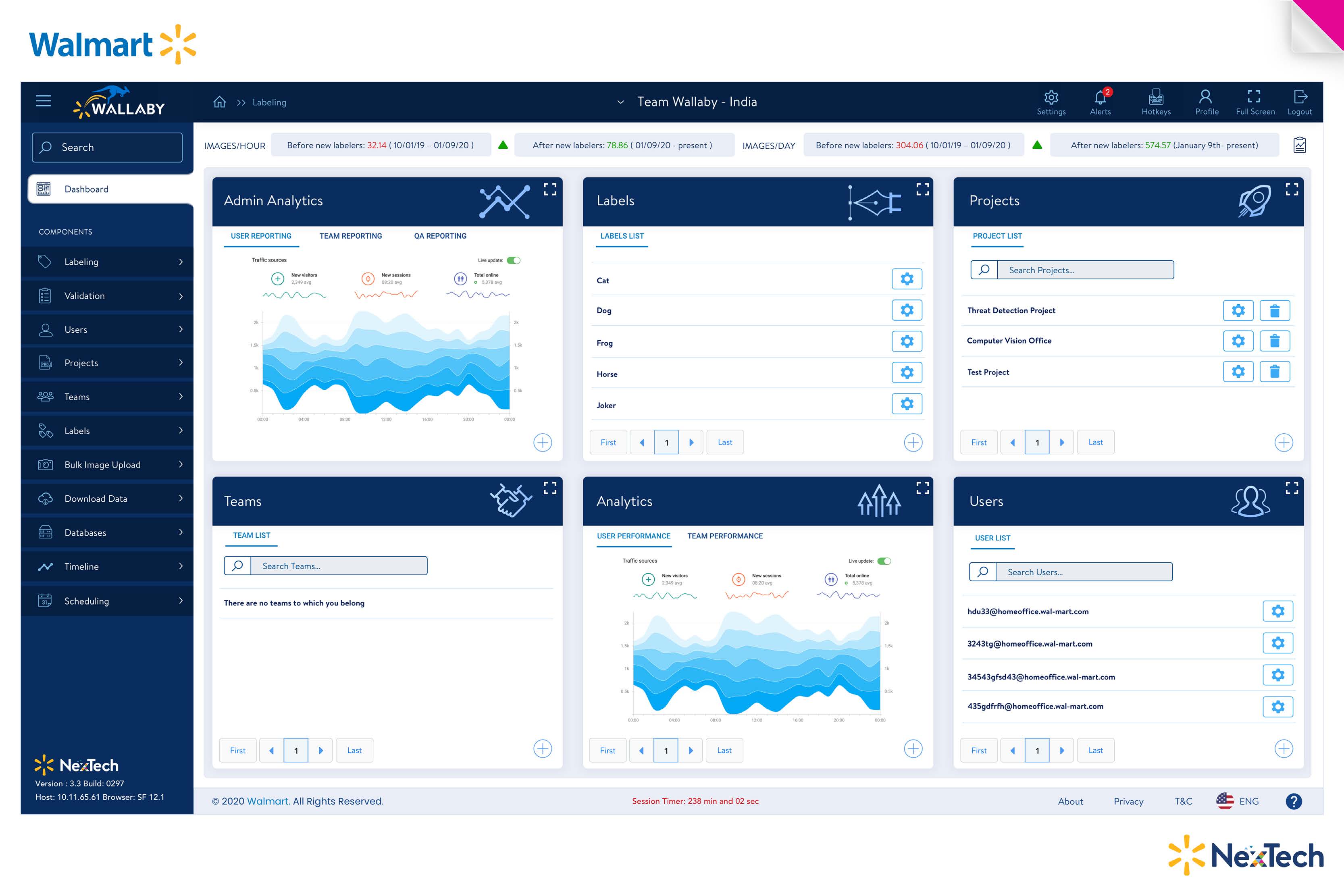
02 / Find the working context
Projects, labels, teams and administrative views share a common shell.
03 / Annotate, review and continue
Object classes, tags, image tools and save/next controls support the annotation task.
05 / Results & business value
What changed through the work.
Wallaby provided the labeling application used for a 300,000-image firearm dataset, supporting Walmart’s computer-vision safety research and the connected Synchro effort.
Why it matters.
The application made dataset preparation a shared operational workflow, connecting annotation to project administration and the training-data needs of the research team.
06 / Reflection
Lessons for future projects.
Treat annotation as an operating workflow, with project context and save-and-continue behavior designed as carefully as the drawing tools.
Let’s talk about your next chapter.
Exploring Senior Director, Head of Design and VP opportunities.